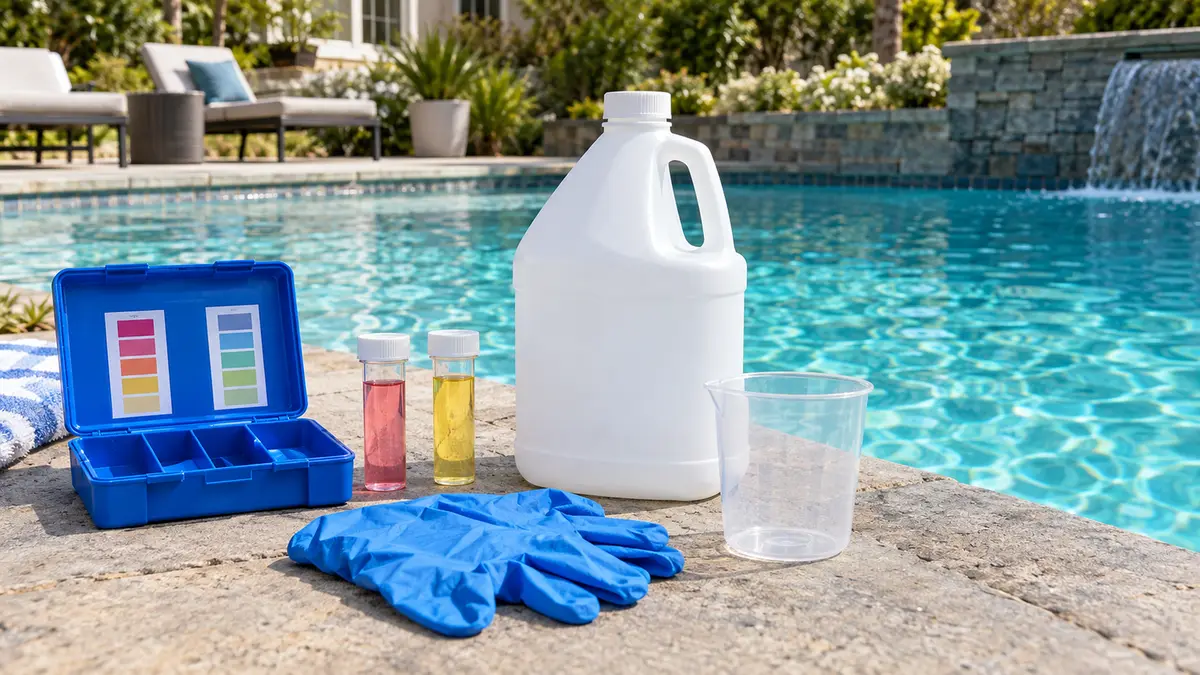
How to use the pool chemical calculator
Enter your pool’s volume and whichever test results you have, and the calculator returns a dose or an “OK” for each reading. You do not need every number; leave a field blank and that line is skipped. Pick your chlorine product and its strength, and the acid strength you buy, so the doses match what is on your shelf.
The calculator checks each reading against a working range:
- Free chlorine (FC): compared with a target of about 11.5% of your stabilizer (CYA) level, never below 2 ppm.
- pH: above 7.8 it sizes muriatic acid to bring you to 7.5; below 7.2 it sizes soda ash to reach 7.4.
- Total alkalinity (TA): below 60 ppm it sizes baking soda to reach 80 ppm; above 120 ppm it flags TA as high.
- Calcium hardness (CH): below 200 ppm it sizes 77% calcium chloride to reach 250 ppm; above 500 ppm it suggests replacing water.
- Stabilizer (CYA): below 30 ppm it sizes stabilizer to reach 40 ppm; above 90 ppm it estimates how much water to replace.
If you do not know your gallons, get them from the pool volume calculator first. Every dose on this page is proportional to volume, so a bad gallon estimate makes every answer wrong by the same percentage.
What order should you balance pool chemicals in?
Adjust total alkalinity first, then pH, then calcium hardness, then stabilizer, and finish with chlorine. Each step changes the reading after it, so working in this order keeps you from correcting the same number twice. Retest and re-run the calculator between steps, because a dose sized for your old numbers may no longer fit.
Why this order works:
- Total alkalinity buffers pH. Fix it first or the pH you set will drift.
- pH controls how well chlorine works and whether the water is comfortable. Set it once TA is stable.
- Calcium hardness protects plaster and grout. It moves slowly and rarely needs attention more than a few times a season.
- Stabilizer (CYA) shields chlorine from sunlight, but it also sets how much chlorine you need, so it has to be right before you pick a chlorine target.
- Free chlorine comes last because its target depends on CYA.
A worked example
A 15,000-gallon pool tests at FC 1 ppm, pH 7.9, TA 50 ppm, CH 180 ppm and CYA 20 ppm. Using 10% liquid chlorine and 31.45% muriatic acid, the calculator returns:
| Reading | Calculator output |
|---|---|
| TA 50 → 80 ppm | 6.3 lb baking soda |
| pH 7.9 → 7.5 | 9.6 fl oz muriatic acid |
| CH 180 → 250 ppm | 12.6 lb calcium chloride (77%) |
| CYA 20 → 40 ppm | 2 lb 8 oz stabilizer |
| FC 1 → 2.3 ppm | 25 fl oz liquid chlorine |
Follow the order rather than the table. Add the baking soda, circulate, and retest pH. Raising TA to 80 makes the water more strongly buffered, so the acid dose to drop pH 7.9 to 7.5 grows to about 14.1 fl oz at TA 80. Then add calcium, then stabilizer. Once CYA reads 40, the chlorine target rises to 4.6 ppm, and the dose from 1 ppm becomes about 69 fl oz of 10% liquid. Re-running the calculator after each step catches both changes.
What does each pool chemical reading mean?
Each test number answers a different question: is the water sanitized, comfortable, and gentle on the pool’s surfaces? The target ranges below are the ones the calculators use. For the full chart of ideal ranges in one place, see ideal pool water chemistry levels.
Free chlorine
Free chlorine is the sanitizer that is still available to kill germs and algae. The right level is not a fixed number; it depends on your stabilizer. The pool chlorine calculator sizes a dose for any product and strength, and the free chlorine to CYA chart shows the minimum, target and shock level for every CYA reading.
pH
pH runs best at 7.2–7.8, with 7.4–7.6 the sweet spot. High pH weakens chlorine and encourages scale; low pH stings eyes and etches surfaces. The pool pH calculator estimates acid or soda ash using your TA and CYA, because both change how much the pH resists moving.
Total alkalinity
Total alkalinity is the water’s pH buffer, typically 60–120 ppm. Too low and pH swings; too high and pH keeps climbing. Raise it with baking soda; lower it with acid plus aeration. The total alkalinity calculator gives both.
Calcium hardness
Calcium hardness is the dissolved calcium in the water, typically 200–400 ppm and often 250–450 ppm for plaster. Too little lets the water dissolve plaster and grout; too much leaves scale. The calcium hardness calculator doses calcium chloride or tells you how much water to replace.
Stabilizer (cyanuric acid)
Cyanuric acid, also called CYA or stabilizer, keeps sunlight from burning off chlorine in a few hours. Typical levels are 30–50 ppm for chlorine pools and 60–80 ppm for salt pools. Too much forces you to run very high chlorine. The cyanuric acid stabilizer calculator handles both directions.
Shock level and saturation index
Shocking means holding free chlorine at about 40% of your CYA until the water clears and combined chlorine drops to 0.5 ppm or less. The pool shock calculator gives that level and the dose. The saturation index combines pH, alkalinity, calcium and temperature into one number that says whether water will etch or scale; check it with the pool saturation index (LSI) calculator.
Why you should test before you dose
Dosing from a guess is the most common way pool chemistry goes wrong. A dose that fixes low chlorine is wasted if pH is 8.2, and adding acid “because pH is always high” can push TA too low. Test, then calculate, then add.
Practical testing habits:
- Use a drop-based (titration) kit for free chlorine, TA, CH and CYA. CDC guidance notes that test strips are less accurate than DPD test kits.
- Take the sample at elbow depth, away from return jets and any chemical feeder.
- Test free chlorine and combined chlorine separately. Combined chlorine above 0.5 ppm means it is time to shock.
- After every dose, run the pump at least 30 minutes, then retest before adding more.
- Write results down. A log shows how fast your pool uses chlorine and how fast pH rises, which makes every later dose more accurate.
Common pool chemical products and their strengths
The same job can be done by several products, and the strength printed on the label changes the dose. The calculators accept the strength you enter, so the numbers stay right when you switch brands or sizes.
| Product | What it is | Typical strength | What it changes |
|---|---|---|---|
| Liquid chlorine | Sodium hypochlorite | 10% or 12.5% | Raises FC; nothing left behind but salt |
| Household bleach | Sodium hypochlorite | About 6% (some 8.25%) | Same as liquid chlorine, weaker |
| Cal-hypo | Calcium hypochlorite | 65% (some 73%) | Raises FC and calcium hardness |
| Dichlor | Stabilized granular chlorine | 56% | Raises FC and CYA |
| Trichlor | Stabilized tablets or sticks | 90% | Raises FC and CYA; lowers pH and TA |
| Muriatic acid | Hydrochloric acid | 31.45% or 14.5% | Lowers pH and TA |
| Dry acid | Sodium bisulfate | Per label | Lowers pH and TA |
| Soda ash | Sodium carbonate | Near 100% | Raises pH, also raises TA |
| Baking soda | Sodium bicarbonate | Near 100% | Raises TA, pH only slightly |
| Calcium chloride | Flakes or pellets | 77–80% or 94–97% | Raises calcium hardness |
| Stabilizer | Cyanuric acid | Near 100% | Raises CYA |
How to read a chlorine label for % available chlorine
The number the calculator needs is available chlorine, not the active-ingredient percentage. They differ for some products:
- Trichlor labels often list about 99% active ingredient but 90% available chlorine. Enter 90.
- Dichlor commonly lists 56% available chlorine even though the product is nearly pure dichlor. Enter 56.
- Cal-hypo lists the calcium hypochlorite percentage, which is close to its available chlorine. Enter 65 or 73 as printed.
- Liquid chlorine and bleach list sodium hypochlorite, and pool-grade jugs are usually sold by “trade percent,” such as 10% or 12.5%. If both appear, use the available chlorine figure.
Liquid chlorine and bleach lose strength in storage, faster in heat. If doses seem to fall short, assume the jug is weaker than the label and retest after every addition.
Pool chemical safety and storage
Pool chemical accidents usually involve breathing fumes or dust, mixing products, or splashing concentrated product. These rules apply to every dose on this site:
- Never mix chemicals. Chlorine and acid together release toxic chlorine gas. Cal-hypo and trichlor can react violently. Use a separate, labeled scoop or measuring cup for each product.
- Add chemical to water, never water to chemical. When a label says to pre-dissolve, fill the bucket with pool water first, then add the product.
- Wear gloves and eye protection, and stand upwind when pouring.
- Add one product at a time with the pump running, near a return jet, and wait for it to circulate before the next.
- Store products apart and dry. The CDC’s pool chemical safety guidance says to store each chemical separately, keep incompatible chemicals away from each other, and keep them below 95°F (35°C) and out of the wet.
- Keep everything locked away from children, in the original container, with the lid closed.
- Follow the label. The product label is the legal use instruction and overrides any general advice, including ours.
Pool chemical troubleshooting table
Use this table to go from what you see to the reading most likely behind it, then to the calculator that fixes it.
| Symptom | Likely cause | Which calculator |
|---|---|---|
| Green or cloudy water | Free chlorine too low for your CYA | Shock calculator, then chlorine calculator |
| Strong “chlorine” smell, red eyes | Combined chlorine above 0.5 ppm | Shock calculator |
| Chlorine disappears within a day | CYA too low, or algae starting | Cyanuric acid and chlorine/CYA chart |
| Chlorine high but algae keeps returning | CYA too high for the FC you keep | Cyanuric acid (replace water) |
| pH climbs every few days | TA too high, lots of aeration, new plaster or a salt cell | pH and alkalinity calculators |
| pH bounces up and down | TA too low | Alkalinity calculator |
| White crust on tile or salt cell | High pH, high CH or positive saturation index | Saturation index and calcium calculators |
| Rough or etched plaster, pitted grout | Low CH or negative saturation index | Calcium hardness and saturation index calculators |
| Cloudy right after adding a product | Soda ash or cal-hypo reacting at high pH | pH calculator; retest after 24 hours |
When two problems overlap, go back to the balancing order: fix TA and pH before chasing calcium, and fix stabilizer before choosing a chlorine level.
How the calculator’s numbers are built
Every dose comes from published chemistry rather than rules of thumb copied between websites. Chlorine doses use the available-chlorine content of each product, pH doses use a carbonate and cyanurate buffer model that accounts for your TA and CYA, and calcium and stabilizer doses use molecular weights. The formulas and constants are listed on the calculator formulas and sources page. Treat every result as a starting dose: add part, circulate, retest, and finish the correction from fresh numbers.